Running a business involves more than selling products or serving customers. Behind the scenes, businesses deal with repetitive work, disconnected systems, inaccurate data, slow communication, inventory problems, and processes that become harder to manage as the company grows. Business software, business process automation, and custom software development can help solve many of these problems by turning manual and disconnected operations into structured digital workflows.
The important question, however, is not simply “Does my business need software?”
It is:
“Which business problem should software actually solve?”
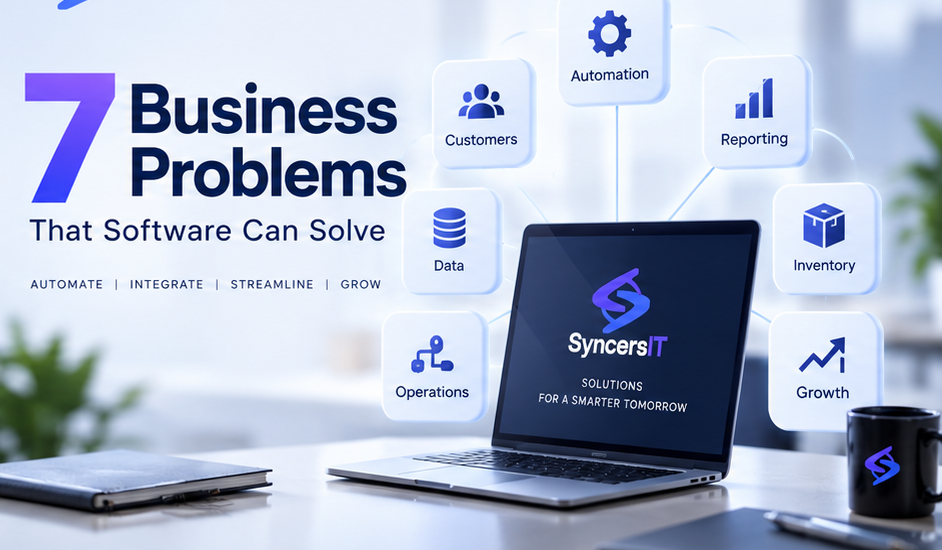
Software is most valuable when it addresses a real operational problem. Here are seven common business problems that the right software solution can help businesses solve.
1. Too Much Manual and Repetitive Work
One of the most common problems businesses face is spending too much employee time on tasks that could be automated.
Employees may spend hours:
- Entering the same information into multiple systems
- Preparing routine reports
- Creating invoices
- Sending follow-up messages
- Updating spreadsheets
- Processing orders
- Checking approval statuses
- Copying customer information from one platform to another
Individually, these tasks may seem small. Collectively, they can consume a significant amount of working time.
How software helps
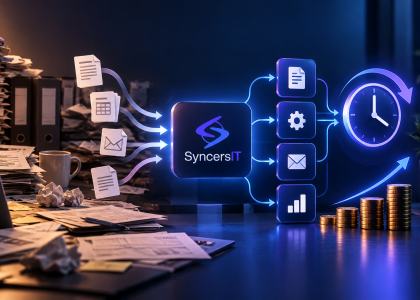
Business process automation allows software to handle repeatable, rule-based tasks automatically.
For example, when an online order is placed, a system could automatically:
- Record the order.
- Update inventory.
- Notify the relevant employee.
- Generate an invoice.
- Update the customer’s record.
- Send an order confirmation.
Instead of employees coordinating every step manually, the software manages the workflow.
Microsoft describes business process automation as using technology to streamline repetitive workflows, with common applications including invoice processing, employee onboarding, approvals, customer service, and supply-chain processes.
The result
The goal isn’t necessarily to replace employees.
It is to allow employees to spend less time on repetitive administration and more time on activities that require judgment, communication, creativity, and problem-solving.
2. Business Data Is Scattered Across Too Many Systems
As a company grows, it often adopts different tools for different departments.
Sales may use one system.
Accounting may use another.
Inventory may exist in a spreadsheet.
Customer information may be stored in a CRM.
Management may receive reports through email.
The problem isn’t necessarily having multiple systems. The problem occurs when those systems do not communicate with each other.
This creates what businesses often experience as data silos.
A simple example
Imagine a retail company where:
- Sales records orders in one system.
- Inventory is maintained in Excel.
- Finance uses accounting software.
- Customer information is stored in another platform.
A single order may need to be entered several times.
That creates opportunities for:
- Duplicate information
- Data-entry mistakes
- Delayed updates
- Conflicting records
- Manual reconciliation
How software helps
Business software integration can connect different systems so information moves between them automatically.
For example:
Sales → Order → Inventory → Accounting → Customer
Instead of maintaining separate versions of the same information, the systems can exchange relevant data through integrations and APIs.
Custom software development can also create a centralized platform when existing tools cannot communicate effectively.
The objective is not necessarily to replace every existing application. Sometimes the better solution is simply to connect the systems you already use.
3. Managers Cannot See What Is Happening in Real Time
Another common problem is a lack of reliable business information.
A manager may ask:
“How much did we sell this month?”
Then someone has to collect information from several spreadsheets, messages, accounting records, or departments before answering.
By the time the report arrives, the information may already be outdated.
How software helps
Modern business reporting software can bring important information into dashboards and reports.
Depending on the business, management might be able to see:
- Today’s sales
- Outstanding payments
- Inventory levels
- Active orders
- Sales pipeline
- Employee performance
- Customer activity
- Revenue trends
- Operational bottlenecks
Business analytics can help organizations process and visualize data to identify patterns and support business decisions.
Example
Consider a wholesale business.
Instead of waiting for the sales team to prepare an end-of-month report, management could have a dashboard showing:
| Metric | Current Status |
|---|---|
| Today’s Sales | Live figure |
| Pending Orders | Current count |
| Outstanding Payments | Current amount |
| Low-Stock Products | Current list |
| Top-Selling Products | Updated ranking |
This gives decision-makers access to information when they need it.
The important distinction is that a dashboard is only useful when the underlying data is reliable. Simply putting numbers on a screen does not automatically create better decision-making.
4. Customer Information and Follow-Ups Are Getting Lost
Customer relationships become difficult to manage when information is scattered between notebooks, spreadsheets, messaging apps, emails, and employees’ personal records.
A sales representative might know that a customer requested a quotation.
Another employee might not know.
A follow-up may be forgotten.
A customer may have to explain their requirements repeatedly.
How software helps
Customer management software or a CRM can centralize customer information and interactions.
A system could store:
- Customer details
- Leads
- Previous purchases
- Quotations
- Communication history
- Follow-up dates
- Sales opportunities
- Customer preferences
- Support requests
For example, when a potential customer submits an inquiry through a website, the system could automatically create a lead and assign it to the appropriate salesperson.
The salesperson can then see the customer’s history and follow-up status from one place.
Why this matters
The objective isn’t simply to have a CRM.
The objective is to create a process where important customer information doesn’t depend on someone’s memory.
5. Inventory and Order Management Are Becoming Difficult
Inventory problems can become particularly expensive for retail, e-commerce, wholesale, manufacturing, and distribution businesses.
Common problems include:
- Not knowing the actual stock level
- Selling products that are already out of stock
- Overstocking slow-moving products
- Manually updating inventory
- Difficulty tracking purchases and sales
- Losing track of warehouse movements
- Delayed stock reports
A basic spreadsheet may work when the business has a small number of products and transactions.
As volume increases, however, maintaining accurate information manually becomes more difficult.
How software helps
Inventory management software can connect purchasing, sales, warehouse operations, and reporting.
For example:
Purchase → Stock Received → Inventory Updated → Sale → Stock Deducted → Low-Stock Alert
Instead of updating each stage manually, software can maintain the flow automatically.
A business may also introduce features such as:
- Stock alerts
- Barcode scanning
- Purchase tracking
- Sales tracking
- Supplier management
- Warehouse management
- Stock movement history
- Inventory reports
This can be particularly useful when several employees or locations are involved.
6. Existing Software Does Not Fit the Way the Business Works
Sometimes a business already has plenty of software.
The problem is that the software doesn’t fit the business.
A standard platform might provide 80% of what the company needs, while the remaining 20% requires spreadsheets, manual workarounds, or additional tools.
This is one of the situations where custom software development may become relevant.
Example
Imagine a real estate company with a workflow involving:
- Property inquiries
- Sales agents
- Multiple projects
- Customer verification
- Booking
- Payment schedules
- Installments
- Document management
- Commission calculation
A generic CRM may handle leads.
An accounting system may handle payments.
But neither may understand the company’s complete workflow.
The company could end up maintaining several systems and manually moving information between them.
A custom business software solution could instead be designed around the actual process.
Custom software does not mean “build everything from scratch”
Businesses should not automatically choose custom development simply because it sounds more advanced.
A ready-made solution may be perfectly suitable if it meets the business requirements.
Custom development becomes more relevant when:
- The workflow is highly specific.
- Existing software requires too many workarounds.
- Several systems need to work together.
- Business rules are unique.
- The company needs specific reporting.
- The organization expects significant future changes.
The decision should be based on the problem being solved, not the technology itself.
7. Business Growth Is Creating Operational Bottlenecks
A business can sometimes grow faster than its processes.
A company that handled 20 orders a day manually may struggle when it reaches 200.
A sales team that managed leads through spreadsheets may struggle when hundreds of prospects enter the pipeline.
An owner who personally approved every request may become a bottleneck as the team expands.
This is where software solutions for SMEs can become valuable.
How software supports scalability
Software can standardize processes so that growth does not require every additional transaction to create the same amount of manual work.
For example:
Manual process:
Customer inquiry → Employee checks → Employee updates spreadsheet → Manager approves → Employee informs customer
Software-enabled process:
Customer inquiry → System records → Automatic assignment → Approval workflow → Customer notification
The second process can be easier to repeat as transaction volume increases.
Business process automation can help standardize workflows, improve visibility, reduce repetitive work, and make processes easier to scale.
Software Should Solve Problems — Not Create More Tools
One mistake businesses make is buying software simply because it has many features.
More software does not necessarily mean better operations.
In fact, adding another disconnected application can sometimes make a process more complicated.
Before investing in a new system, ask:
1. What problem are we actually trying to solve?
Define the operational problem before discussing features.
2. How is the process handled today?
Document the current workflow.
3. How much manual work is involved?
Identify repetitive tasks and bottlenecks.
4. Where does the information currently live?
Look for spreadsheets, emails, databases, applications, and paper records.
5. Does existing software already solve the problem?
If yes, configuration or integration may be better than building something new.
6. What needs to change as the business grows?
A solution should consider future requirements without unnecessarily building features that are not needed today.
Should You Buy, Integrate, or Build Custom Software?
There is no universal answer.
A simple framework can help:
| Situation | Possible Approach |
|---|---|
| Common business requirement | Ready-made software |
| Existing tools work but don’t communicate | Integration |
| Repetitive manual workflow | Automation |
| Highly specific business process | Custom software |
| Existing software is difficult to use | Configuration or replacement |
| Multiple departments need shared data | Integrated business system |
For many businesses, the answer may actually be a combination.
You might use an accounting platform, connect it with a CRM, automate several workflows, and build a custom internal module for the process that cannot be handled by existing tools.
How Much Does Business Software Cost?
There is no single price for business software.
The cost depends on what the system needs to accomplish.
Important factors include:
- Number of features
- Number of users
- System complexity
- UI/UX requirements
- Integrations
- Database requirements
- Security requirements
- Mobile or web platforms
- Third-party services
- Data migration
- Development time
- Maintenance and support
A small internal application may require very different resources from an integrated ERP or enterprise platform.
The better question is not:
“How much does software cost?”
It is:
“What business problem are we solving, and what is the most practical way to solve it?”
When Is Custom Software Worth Considering?
Custom software development isn’t necessary for every company.
It may be worth considering when your business repeatedly experiences several of these problems:
- Employees enter the same data multiple times.
- Important processes depend on spreadsheets.
- Different departments maintain conflicting information.
- Managers cannot access current operational data.
- Existing software requires extensive workarounds.
- Your workflow is significantly different from standard industry processes.
- Growth is increasing administrative work faster than productive capacity.
Current industry discussions around custom software increasingly focus on these exact issues: workflow fit, integrations, automation, data visibility, and scalability.
The Goal Is Better Business Operations
Software itself is not the goal.
The goal is a business that operates more efficiently.
The right technology can help businesses:
- Reduce repetitive work
- Connect information
- Improve reporting
- Automate workflows
- Manage customers more effectively
- Track inventory
- Standardize operations
- Support growth
For some companies, an existing SaaS product will be enough.
For others, integration or automation may be the answer.
And for businesses with highly specific requirements, custom software development may provide a better fit.
At SyncersIT, our approach starts with the business problem rather than the technology. We believe software should be built around how a business actually operates — not the other way around.
If your business is struggling with manual processes, disconnected systems, or operational bottlenecks, the first step is to understand the process and identify where technology can create measurable improvement.
Frequently Asked Questions
1. What business problems can software solve?
Software can help businesses solve problems involving manual work, data management, customer management, inventory, reporting, system integration, workflow management, and operational scalability.
2. What is business process automation?
Business process automation uses software to handle repetitive, rule-based tasks and workflows that would otherwise require manual effort. Examples include approvals, notifications, invoice processing, data entry, and customer follow-ups.
3. Does every business need custom software?
No. Many businesses can use ready-made software effectively. Custom software is more relevant when standard solutions cannot accommodate important workflows, integrations, business rules, or reporting requirements.
4. What is the difference between business software and custom software?
Business software is a broad category of applications designed to support business activities. Custom software is specifically developed around the requirements and workflows of a particular organization.
5. Can software connect different business systems?
Yes. Software integrations can allow different applications to exchange information. APIs and other integration methods can be used to connect systems such as CRM, accounting, inventory, e-commerce, and internal applications.
6. How do I know whether my business needs better software?
Look for recurring operational problems: duplicate data entry, spreadsheet dependency, slow reporting, disconnected systems, lost customer follow-ups, inventory inaccuracies, or workflows that require excessive manual coordination. If these problems are affecting productivity or growth, it may be worth evaluating a software solution.